StatelessChatUI
Minimalist, stateless chat interface for OpenAI-compatible LLM APIs — with native support for streaming, JSON-level state control, and extended thinking display.
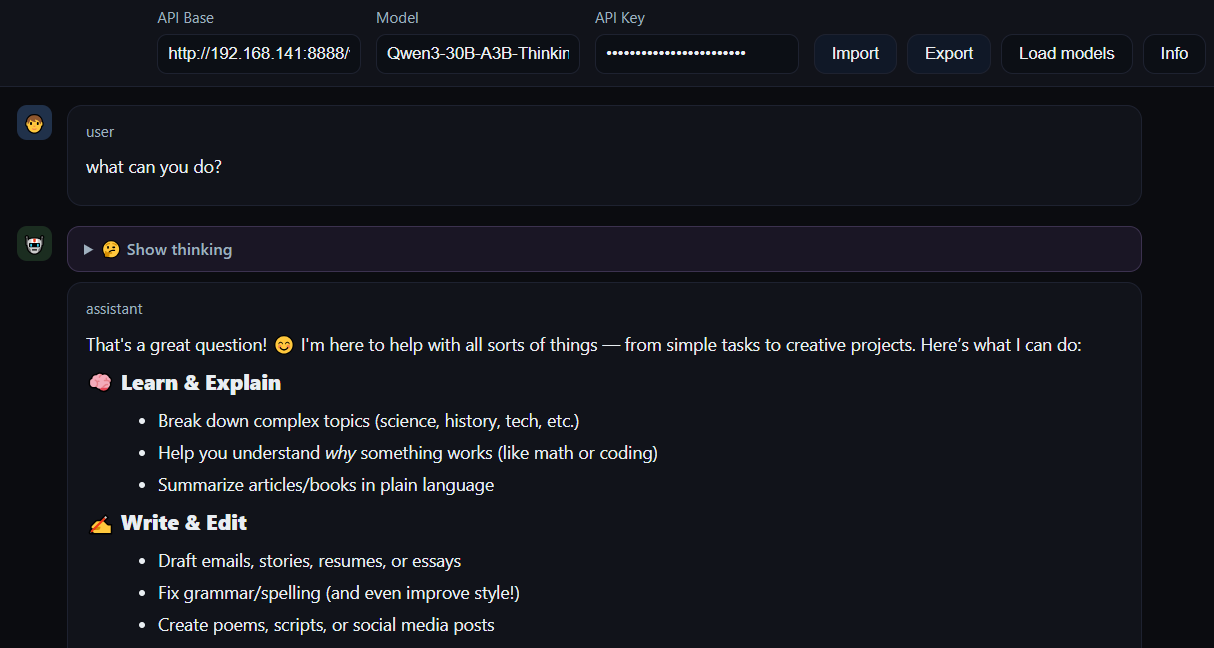
Concept
StatelessChatUI is a pure browser client: the conversation state is fully controlled in the UI, and API calls go directly from your browser to the target endpoint. This is great for debugging prompts, testing providers, and doing “portable” runs where you don’t want any infrastructure.
Single-file deployment
Serve one static HTML file (or open it locally). No build pipeline, no bundling, no server logic.
Raw JSON editor
Edit the full message history, inject messages, replace state, validate/beautify, and export runs.
Streaming + metrics
Delta accumulation, token-rate-ish telemetry, and incremental rendering while the model is still talking.
Features
Extended thinking support
Interprets <thinking>...</thinking> and content blocks like reasoning_content during streaming.
Model discovery
Loads available models via /v1/models. Manual override stays possible.
Markdown + code
Markdown rendering with syntax highlighting for quick inspection of outputs and snippets.
Import / export
Persist runs as JSON/JSONL. Drag-and-drop import for quick replay and comparisons.
File support (Vision)
Attach images (and other files) to prompts via picker. If the selected model supports multimodal inputs, the UI includes the files in the request and shows a quick preview.
CORS-friendly
Works with OpenAI-compatible APIs and local inference servers, assuming headers/proxy are set correctly.
Minimal UX
Dark-mode-first, low-noise layout, collapsible thinking, auto-scroll with manual override.
Quick start
Open the file
Works without a server (filesystem), unless your API needs CORS accommodations.
Static server
Useful for consistent origin / CORS testing.
Set base URL + key
Configure the endpoint in the header. Example: https://api.openai.com/v1 or http://localhost:11434/v1.
Try it
Open the demo, point it at your provider, and start surgically poking your prompts and message state.